SLIDD AI App: What It Does, Costs & How to Set Up
The SLIDD AI App: What It Does, How It Works, and What It Costs
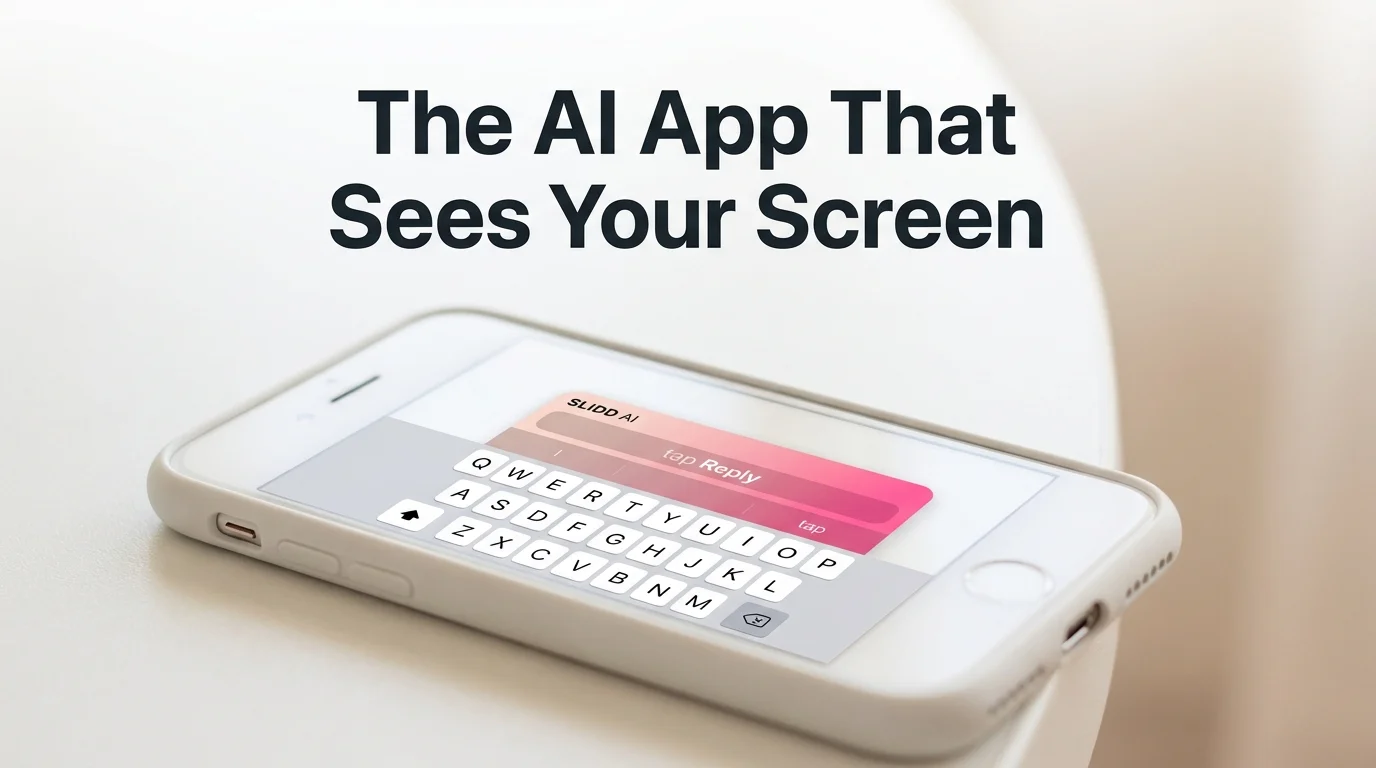
Most apps that call themselves "AI dating assistants" are actually websites you visit after leaving the dating app — screenshot, upload, wait, copy the reply back in. The SLIDD AI app skips that detour. It's a system keyboard that reads whatever's on your screen the moment you tap Reply, then writes the message in one of five tones without you ever leaving Hinge, Tinder, or Instagram.
Key Takeaways
- SLIDD AI is an iOS keyboard that reads your screen in real time and writes dating replies without screenshots or app-switching — just tap Reply inside Hinge, Tinder, Instagram, or any dating app.
- Unlike competitors (Rizz AI, Keys AI, YourMove AI), SLIDD works as a system keyboard, eliminating the workflow friction of taking screenshots, uploading, copying, and pasting.
- The app offers five tone presets (Flirty, Bold, Witty, Sincere, Casual) to match the conversation stage, plus a custom tone builder for personalized reply styles.
- SLIDD starts with a 3-day unlimited free trial; after the trial, plans range from $6.99/week (impulse tier) to $19.99/month (most popular) to $99.99/year (best value).
- SLIDD's screen reading works in dating apps (Hinge, Tinder, Bumble, Coffee Meets Bagel), social apps (Instagram DMs and Stories, Snapchat), and messaging (WhatsApp, iMessage, Telegram) — every app where conversations happen.
Contents
- What Is the SLIDD AI App?
- How Does the SLIDD AI App Work Inside Hinge and Tinder?
- What Are the Five Tone Presets in the SLIDD AI App?
- Which Dating Apps and Messaging Platforms Does SLIDD AI Support?
- How Does SLIDD AI's Screen Reading Compare to Screenshot-Based Competitors?
- How Much Does the SLIDD AI App Cost?
- Is the SLIDD AI App Safe and Private?
- How Do I Download and Set Up the SLIDD AI App on My iPhone?
What Is the SLIDD AI App?
The SLIDD AI app is an iOS keyboard extension that reads your phone screen in real time and writes dating replies in your chosen tone — no screenshots, no app-switching, no copy-paste. It installs as a system keyboard, so it works inside Hinge, Tinder, Bumble, Instagram, WhatsApp, iMessage, and any other app with a text field.
The category didn't exist before SLIDD. Competitors like Rizz AI and Keys AI are separate destinations you feed screenshots into; SLIDD lives where the conversation is already happening.
If you want the shortest possible explainer, SLIDD AI is the keyboard that sees your screen — this app-level guide builds on that same foundation. It sits directly on top of the mechanics behind the SLIDD AI keyboard itself.
How Does the SLIDD AI App Work Inside Hinge and Tinder?
Inside Hinge or Tinder, the SLIDD AI app works in three moves: switch to the SLIDD keyboard, tap Reply, and the app reads the visible screen — her message, her photo, her profile — before writing a contextual response in the tone you picked. The reply lands directly in the text field, ready to send.
That screen read happens through iOS ReplayKit, the same framework Apple built for screen recording. A vision-capable model interprets whatever's visible the instant you tap — her opening line on Hinge, the photo she just sent on Tinder, the prompt she answered — and a second model drafts the reply before it's inserted. That's what people mean when they search slidd ai for hinge: the same engine, tuned to Hinge's prompt-and-photo layout.
Every screenshot-based competitor asks you to leave the conversation, open a separate app, upload the image, wait, then paste the result back in. That sequence takes long enough that the moment behind the message has usually cooled by the time it's done.
 How does SLIDD AI work — one tap turns her screen into a finished reply.
Worth knowing: The screen read and the reply generation happen in the same tap. There's no separate "processing" screen to wait on.
The vision-to-reply handoff — how the capture becomes an actual sentence — is broken down step by step in SLIDD's 3-stage reply engine.
What Are the Five Tone Presets in the SLIDD AI App?
The SLIDD AI app offers five tone presets — Flirty, Bold, Witty, Sincere, and Casual — plus a custom tone builder, so replies match the actual moment in a conversation instead of forcing every message into the same voice.
Each preset is built for a different stage:
- Flirty — playful tension, suited to early banter and late-night exchanges
- Bold — takes the lead without tipping into aggressive
- Witty — built for openers and moments that call for a laugh
- Sincere — carries real weight for the moments that need honesty over game
- Casual — keeps the exchange low-pressure when the conversation just needs to breathe
 The five tone presets inside the SLIDD AI keyboard, chosen before each reply generates.
A sixth option, Custom, lets you describe a voice in your own words — "dry humor," "slightly dominant," even a reference like "sound like Pedro Pascal" — and SLIDD writes to that description instead of picking from the five presets.
Common mistake: Sticking to one tone for an entire match. A Hinge opener written Witty and a late-night reply written Flirty come from the same keyboard, but they shouldn't sound identical.
Which Dating Apps and Messaging Platforms Does SLIDD AI Support?
SLIDD AI works inside every major dating app — Hinge, Tinder, Bumble, Coffee Meets Bagel, Plenty of Fish, OkCupid, and Match — plus Instagram DMs and Stories, Snapchat, WhatsApp, iMessage, Telegram, Discord, and Messenger, because it installs as a system keyboard rather than a dating-specific app.
That distinction matters because conversations migrate. A match starts on Hinge, moves to Instagram once numbers get swapped, then settles into iMessage or WhatsApp. Every transition is a moment where a screenshot-only tool goes quiet.
- Dating apps: Hinge, Tinder, Bumble, Coffee Meets Bagel, Plenty of Fish, OkCupid, Match
- Social: Instagram (DMs + Stories), Snapchat, TikTok DMs
- Messaging: iMessage, WhatsApp, Telegram, Signal, Discord, Messenger
For a wider look at how SLIDD fits against other AI dating tools by category, see this breakdown of AI dating app options.
How Does SLIDD AI's Screen Reading Compare to Screenshot-Based Competitors?
SLIDD reads the screen directly inside the app you're already using; Rizz AI, Keys AI, and YourMove AI all require a screenshot, an app switch, an upload, and a copy-paste back into the conversation. The difference is architecture, not marketing — SLIDD is a keyboard, and the others are separate destinations you have to visit.
| Capability | SLIDD AI | Rizz AI | Keys AI | YourMove AI |
|---|---|---|---|---|
| Real-time screen reading | Yes | No | No | No |
| Works without leaving the dating app | Yes | No | No | No |
| Instagram Stories support | Yes | No | No | No |
| WhatsApp / iMessage support | Yes | Limited | No | No |
| Tone presets | 5 + custom | Limited | Limited | Limited |
Keys AI, co-founded by Jared Leto, markets itself somewhere between a dating tool and a general texting assistant — a positioning that leaves it without SLIDD's dating-specific tone calibration or screen awareness. YourMove AI and Wing AI both run the same screenshot-first architecture, which caps how fast either can move once a reply is due.
Bottom line: A screenshot workflow can still produce a decent reply. It just produces it after the conversation's temperature has already dropped.
How Much Does the SLIDD AI App Cost?
The SLIDD AI app starts with a 3-day unlimited free trial — every tone, unlimited replies, no payment required at signup. After the trial, plans run $6.99/week, $19.99/month (most popular), or $99.99/year (best value), and all three unlock the same full feature set.
| Plan | Price | Best for |
|---|---|---|
| Weekly | $6.99/week | Trying it in the moment |
| Monthly | $19.99/month | Most popular |
| Annual | $99.99/year | Best value (~$8.33/mo) |
If the trial ends and you haven't picked a plan, SLIDD doesn't cut you off entirely — a free tier stays active with two of the five tones (Casual and Sincere), a small daily reply cap, and a preview mechanic that shows a finished reply is ready before asking you to upgrade to read it.
By the numbers: $6.99/week is less than a quarter of Tinder Gold's roughly $29.99/month rate — SLIDD's pricing sits well under what guys already spend on dating-app premium tiers.
The full breakdown of what each tier unlocks, including the free-tier mechanics, is in the SLIDD AI pricing and feature review.
Is the SLIDD AI App Safe and Private?
Yes — SLIDD processes screen content in real time and discards it immediately after generating a reply. Conversations aren't stored, aren't used to train models, and aren't tied to your identity; the app runs on standard iOS keyboard permissions plus the same ReplayKit screen-broadcast technology built for screen recording.
Full Access is the one permission the keyboard needs, and it's the same permission any screen-reading keyboard requires on iOS — there's no separate account linking to your dating profiles or messages.
How Do I Download and Set Up the SLIDD AI App on My iPhone?
 SLIDD AI download unlocks the same keyboard across every app where a conversation might start.
Download the SLIDD AI app free from the App Store, then enable it as a keyboard in iOS Settings — Keyboard, Keyboards, Add New Keyboard — and turn on Full Access so it can read your screen. The whole setup takes about two to three minutes.
- Download SLIDD AI free from the App Store (US and Canada, 18+ rating)
- Open Settings > Keyboard > Keyboards > Add New Keyboard, and select SLIDD AI
- Toggle on Full Access — this is what lets the keyboard read the screen
- Open Hinge, Tinder, or any app, tap a text field, and switch keyboards to SLIDD
- Tap Reply, pick a tone, and send
Every setting and edge case in that process — including what to do if Full Access won't toggle on — is covered in the full SLIDD AI download and setup walkthrough.
Get Started with SLIDD AI
The gap between a guy who freezes when she replies and a guy who doesn't isn't confidence — it's having the right words ready in the three seconds before the moment passes. SLIDD AI puts them in the keyboard you're already using, free for the first three days.
FAQ
Is the SLIDD AI app free to download?
Yes. The SLIDD AI app is free to download from the App Store, and every new account starts with a 3-day unlimited trial — full access to every tone and unlimited replies, no card required at signup. After the trial, you pick weekly ($6.99), monthly ($19.99), or annual ($99.99), all unlocking the same feature set.
Does the SLIDD AI app work on Android?
Not yet. SLIDD is built for iOS only right now, live in the App Store across the US and Canada with an 18+ rating. Android is on the roadmap, but no release window is confirmed — the team is finishing the iOS experience first.
How is the SLIDD AI app different from Rizz AI or Keys AI?
Rizz AI, Keys AI, and YourMove AI all run on the same screenshot-upload workflow: leave the app, upload an image, wait, and copy the reply back in. SLIDD skips every one of those steps — it's a keyboard already inside Hinge, Tinder, or Instagram that reads the screen the moment you tap Reply.
Can the SLIDD AI app read Instagram Stories?
Yes. Open someone's Story, tap the reply field, switch to the SLIDD keyboard, and tap Reply — SLIDD reads the image, video, or text on the Story and writes something specific to what's actually there. Screenshot-only competitors limited to dating-app uploads can't do this.
Is the SLIDD AI app just ChatGPT with extra steps?
No. ChatGPT can't see your screen, so you'd have to type out her message and photo details by hand, and it has no tone presets built for dating dynamics. SLIDD reads the screen directly and writes in one of five dating-specific tones from inside the keyboard.
Who is the SLIDD AI app built for?
SLIDD is built for men aged 18 to 30 in the US and Canada — specifically guys who match on a dating app and then freeze once she replies. The tone presets, reply logic, and brand voice are all calibrated around that exact moment, not general texting help.