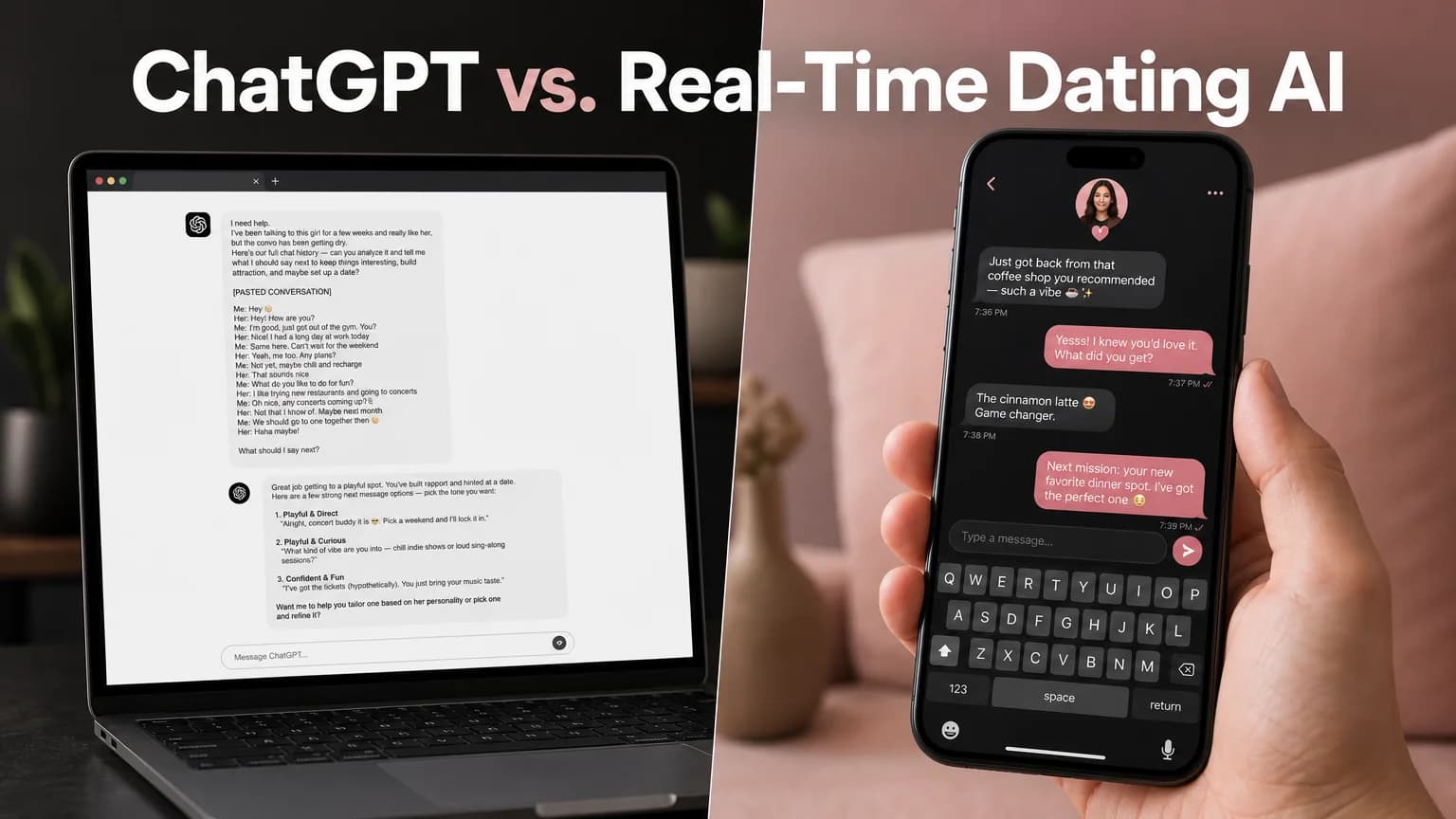
ChatGPT for Dating: Why It Falls Short on Replies
ChatGPT for Dating: What It Gets Right and What It Costs You
Eight steps. That is how many things you do between reading her message and having a reply when you use ChatGPT for dating. Screenshot, leave the app, open ChatGPT, upload, wait, copy, switch back, paste.
ChatGPT can write a decent reply. The workflow around it is what kills the moment.
Key Takeaways
- Using ChatGPT for dating replies takes 8 friction steps, and ChatGPT never sees your phone screen unless you feed it manually.
- It is a generalist: replies tend toward safe and generic because nothing in it is tuned for dating dynamics.
- It has no dating tones built in, so you re-explain the vibe in every prompt.
- Purpose-built tools like SLIDD AI sit inside the keyboard, read the live screen and write the reply in one tap.
- If you only use it for bio brainstorming, ChatGPT is fine. For live conversations, the friction decides the outcome.
Can You Use ChatGPT for Dating Replies?
Yes. You can paste a conversation into ChatGPT and ask for reply options, and it will produce readable, grammatical messages. What it cannot do is see your screen, so every message, photo and profile detail has to be moved into the chat by hand before it can help.
The writing was never the hard part. The logistics are.
Here is the head-to-head, step by step:
| ChatGPT | SLIDD AI | |
|---|---|---|
| Friction steps between her message and your reply | 8 | 0 |
| Leaves the dating app | Yes | No |
| Sees her photos and profile | Only if you upload them | Reads the live screen |
| Dating-tuned tones | None built in | Five, plus custom |
| How the reply reaches the text box | You copy and paste it | Inserted for you |
By the numbers: the full ChatGPT loop is ten actions, from seeing her message to hitting send. Eight of them are pure friction. SLIDD removes all eight.
What's the Real Problem With Using ChatGPT for Dating?
The real problem is the workflow, not the writing. Every reply requires you to capture the conversation, leave the dating app, hand it to a second app, then carry the answer back. Each handoff adds seconds and breaks the thread of the chat you were in.
Here is the actual loop, in order:
- See her message in Hinge, Tinder or Bumble
- Take a screenshot
- Leave the dating app
- Open ChatGPT
- Upload the screenshot or retype the thread
- Wait for the response
- Copy the reply you like
- Switch back to the dating app
- Paste it
- Send
Screenshots also lose context. A reply to her Instagram story needs the story itself, and ChatGPT only knows what you described or pasted.
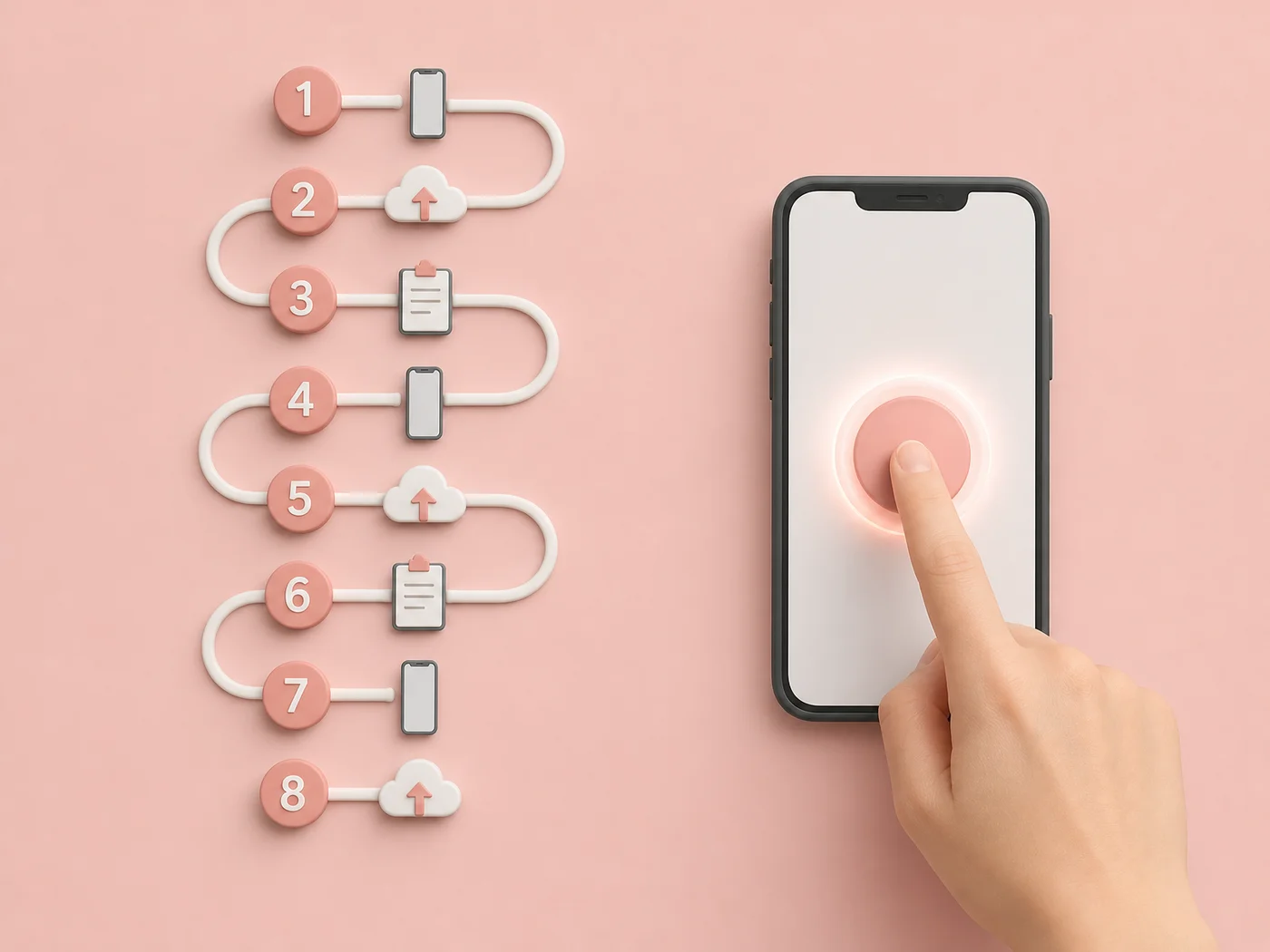 Eight numbered handoffs on the left. One tap on the right.
How Does ChatGPT Generate Dating Messages, and Why Do They Sound Generic?
ChatGPT predicts a likely, broadly acceptable answer based on training across the whole internet. For dating, "broadly acceptable" means safe: friendly, polite and low in tension. That is exactly the register that gets a conversation to a quiet end.
It is also trying to be helpful, not attractive. Ask it for a reply to "lol I bet you say that to all the girls" and the result usually reads like this:
"Haha, not at all! I just say what I feel. What about you, what do you like to do for fun?"
Now compare that with a line that has some edge:
"Only the ones who answer within a minute. You're on a streak."
Same message, same intent, very different effect. The first could be sent to anyone, so it lands on no one. One r/datingoverforty thread describes ChatGPT as a sycophant that "will glaze you and tell you what you want to hear", which is the opposite of what a flirting conversation needs.
Reality check: a reply that fits any conversation fits none. Specificity comes from the screen, and ChatGPT can't see it.
Can ChatGPT Match Your Dating Tone?
Only if you tell it how, every single time. ChatGPT has no built-in dating tones, so you type your own instructions in each prompt: flirty, but not cheesy, witty, but warm. That is one more step in a loop that already has eight too many.
Dating conversations switch register constantly. An opener wants Witty or Flirty. "How was your day" deserves Casual. Asking her out needs Bold, and a vulnerable moment needs Sincere.
SLIDD AI builds those five tones into the keyboard and adds a Custom tone you describe once, such as "dry humor" or "slightly dominant". You pick one and tap Reply.
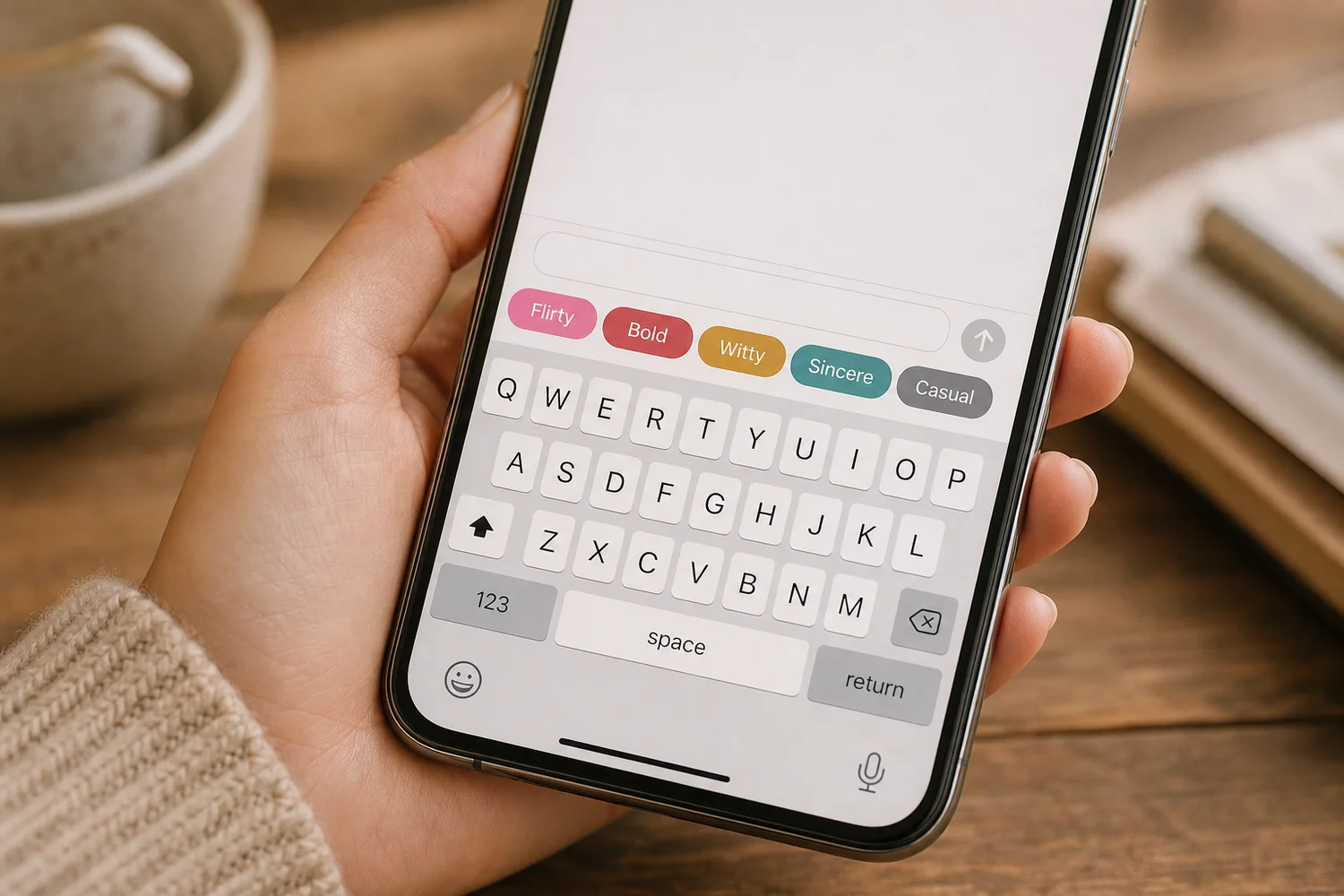 Five tones sit directly above the keys, so switching register takes one tap.
Does ChatGPT Understand Dating Psychology?
Not in a way you can rely on. ChatGPT knows a lot about dating in the abstract, but it has no live read on this specific match, her pace, or where the conversation sits. A specialist tool is built around stage and context, which is what actually moves a chat forward.
SLIDD AI detects the stage of the conversation, whether that is an opener, a mid-conversation reply, an escalation or a close, and writes for it. ChatGPT only knows the stage if you explain it.
That explanation is a lot of typing for a 30-second window. By the time you finish, the moment has often passed.
How Do Specialized AI Tools Work Differently From ChatGPT?
Specialized tools are built for one job. They own the input (what she sent), the style (dating tones) and the output (a reply in your text box), instead of leaving all three to you. The best ones also remove the app switch entirely.
Not all specialists are equal, though. Screenshot-based tools such as RizzGPT still make you leave the chat, upload and paste, so they inherit most of ChatGPT's friction. Keys AI comes closer with keyboard functionality but has limited screen awareness.
The architecture matters more than the label. If you want the broader picture of how general generators compare, our AI text generator breakdown covers it, and the AI dating app finder maps the dating-specific options.
Worth knowing: if you would rather hear from other users than from us, our AI dating assistant Reddit breakdown looks at how people describe these tools in their own words.
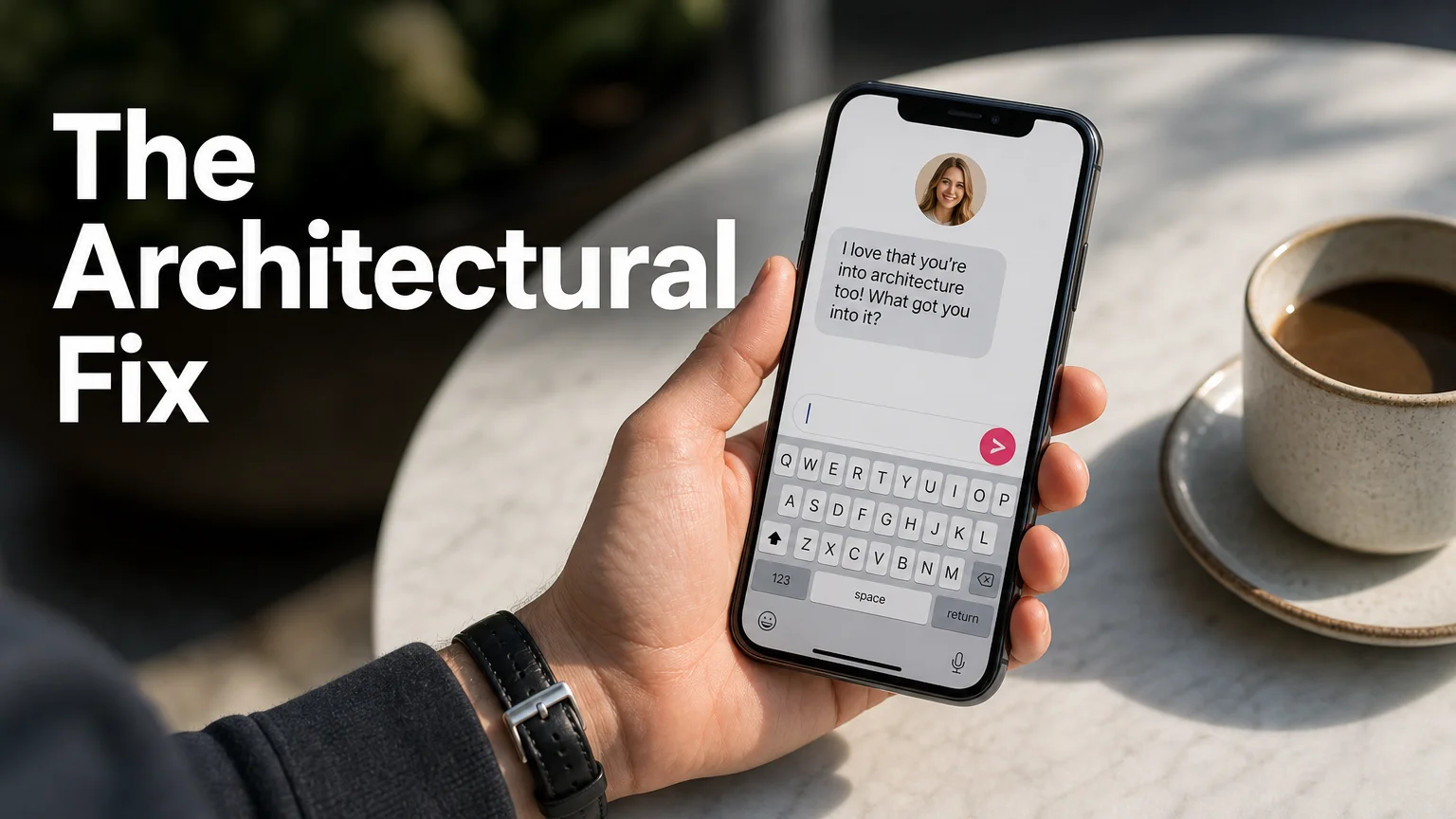 The reply is written where the conversation already is.
What Should You Use Instead of ChatGPT for Dating?
Use a tool that lives in the keyboard, so it can read your screen and write the reply without you leaving the chat. SLIDD AI does this on iOS: switch to its keyboard, tap Reply, and the message is inserted in your chosen tone.
SLIDD reads the visible screen in real time: her message, her photo, her profile, her story. It uses iOS screen broadcast to capture the frame when you tap, and discards the content once the reply is generated. Conversations are not stored or used for training.
Because it is a system keyboard, it also works beyond dating apps: Hinge, Tinder, Bumble, Instagram DMs and Stories, WhatsApp and iMessage. ChatGPT stays useful for what it does well, like brainstorming a bio. For live replies, the fix is architectural.
Get Started with SLIDD AI
SLIDD AI starts with a 3-day unlimited free trial and needs no payment at signup. Install the keyboard, open any chat, and tap Reply to see what your next message looks like without the eight steps.
FAQ
Is ChatGPT good for dating?
It is good for brainstorming bios, drafting a first-pass opener, or talking through a situation. It is weak for live replies because it cannot see your screen, has no dating tones, and pulls you out of the chat. Use it for planning, and use a keyboard tool for replying.
Can ChatGPT write replies for Hinge and Tinder?
Yes, if you paste or upload the conversation. It will return reply options you can copy back into the app. The catch is the eight-step loop and the loss of context from profile photos and prompts that were not included in what you pasted.
How is SLIDD AI different from ChatGPT for dating?
SLIDD is an iOS keyboard that reads your screen in real time and writes the reply inside the app. There are no screenshots and no copy-paste. It also offers five dating tones, Flirty, Bold, Witty, Sincere and Casual, which ChatGPT does not provide by default.
Is SLIDD AI free to try?
Yes. Every new account gets a 3-day unlimited free trial with all tones and unlimited replies, and no payment is needed at signup. After that, plans are $6.99 weekly, $19.99 monthly or $99.99 yearly, and all of them unlock every tone and the custom tone builder.