AI Text Generator for Dating | SLIDD
AI Text Generator for Dating: What It Is and Why the Workflow Wins
Type "AI text generator" into Google and you'll get tools built for emails, essays, and marketing copy — not the specific problem of staring at her message with thirty seconds to reply. Dating has its own version of this category, and almost none of the results explain how it actually needs to work.
Key Takeaways
- An AI text generator uses a language model to draft, rewrite, or reply to text based on a prompt or existing context — general-purpose tools like ChatGPT and dating-specific tools work differently under the hood.
- Most dating-focused AI text generators force you to screenshot her message, leave the app, upload the image, and copy-paste the reply back — a workflow with eight separate steps.
- SLIDD reads your screen in real time through iOS screen broadcast, so the reply is generated and inserted without ever leaving Hinge, Tinder, Bumble, or Instagram.
- Generic AI text generators like ChatGPT don't know dating psychology or conversation stage — they default to safe, generic replies.
- SLIDD's five tone presets (Flirty, Bold, Witty, Sincere, Casual) let you match the energy a conversation actually needs, instead of getting one voice for every message.
Contents
- What Is an AI Text Generator?
- How Do AI Text Generators Work for Dating Messages?
- Why Do Most AI Text Generators Require Screenshots?
- Which AI Text Generator Reads Your Screen in Real Time?
- What's the Difference Between ChatGPT and a Dating AI Text Generator?
- Can an AI Text Generator Actually Save Your Conversations?
- Why SLIDD AI Is the Best AI Text Generator for Dating
- How Does SLIDD's Real-Time Screen Reading Compare to Upload-Based Tools?
- FAQ
 The reply is generated where the conversation already lives — not in a separate app.
What Is an AI Text Generator?
An AI text generator is a tool that uses a large language model to produce written text — replies, drafts, captions, or full messages — based on a prompt, a set of instructions, or existing conversation context. The category spans everything from general writing assistants like ChatGPT to narrow, purpose-built tools trained for a specific job, like generating a dating reply from her Hinge message.
The mechanics are the same at a high level: you give the model an input, it predicts the most useful output. Where these tools diverge is what they're trained on and how the input reaches them.
- General text generators (ChatGPT, Claude, Gemini) are trained broadly and expect you to type or paste your input manually
- Niche text generators (email tools, ad copy tools, dating reply tools) are tuned for one job and often built into a workflow you already use
- The best niche tools remove the "getting the input in" step entirely — which is exactly where dating AI text generators tend to break down, as the next section covers
For a broader look at how this shows up specifically in direct messages, see our breakdown of the AI DM generator workflow flaw most tools never fixed.
How Do AI Text Generators Work for Dating Messages?
A dating-focused AI text generator takes her message, photo, or profile as context and produces a reply calibrated to tone and conversation stage — the difference between tools is entirely in how that context gets captured. Some require manual input. One reads it automatically.
Three things happen behind every generated reply, regardless of which tool you're using:
- Context capture — the tool needs to see or read what she actually said
- Interpretation — a model parses tone, subtext, and conversation stage (opener, mid-convo, escalation, close)
- Generation — a second pass writes the actual reply text in a specific voice
Most tools nail steps two and three. Step one is where the category falls apart, because "context capture" for most dating AI text generators means you doing manual work first.
Worth knowing: the quality of a dating reply depends less on the model behind it and more on how much of the original context survives the trip from her screen to the AI. A blurry screenshot loses tone; a manually typed summary loses nuance entirely.
Why Do Most AI Text Generators Require Screenshots?
Most AI text generators for dating require screenshots because they're built as standalone apps that have no access to what's happening inside Hinge, Tinder, or Instagram — the screenshot is the only way to get her message out of one app and into another. That architecture creates an eight-step detour for every single reply.
Here's what that detour actually looks like on Rizz AI, YourMove AI, and most of the category:
- She sends a message inside the dating app
- You take a screenshot
- You leave the dating app
- You open the AI tool
- You upload the screenshot
- You wait for it to process
- You copy the suggested reply
- You switch back and paste it in
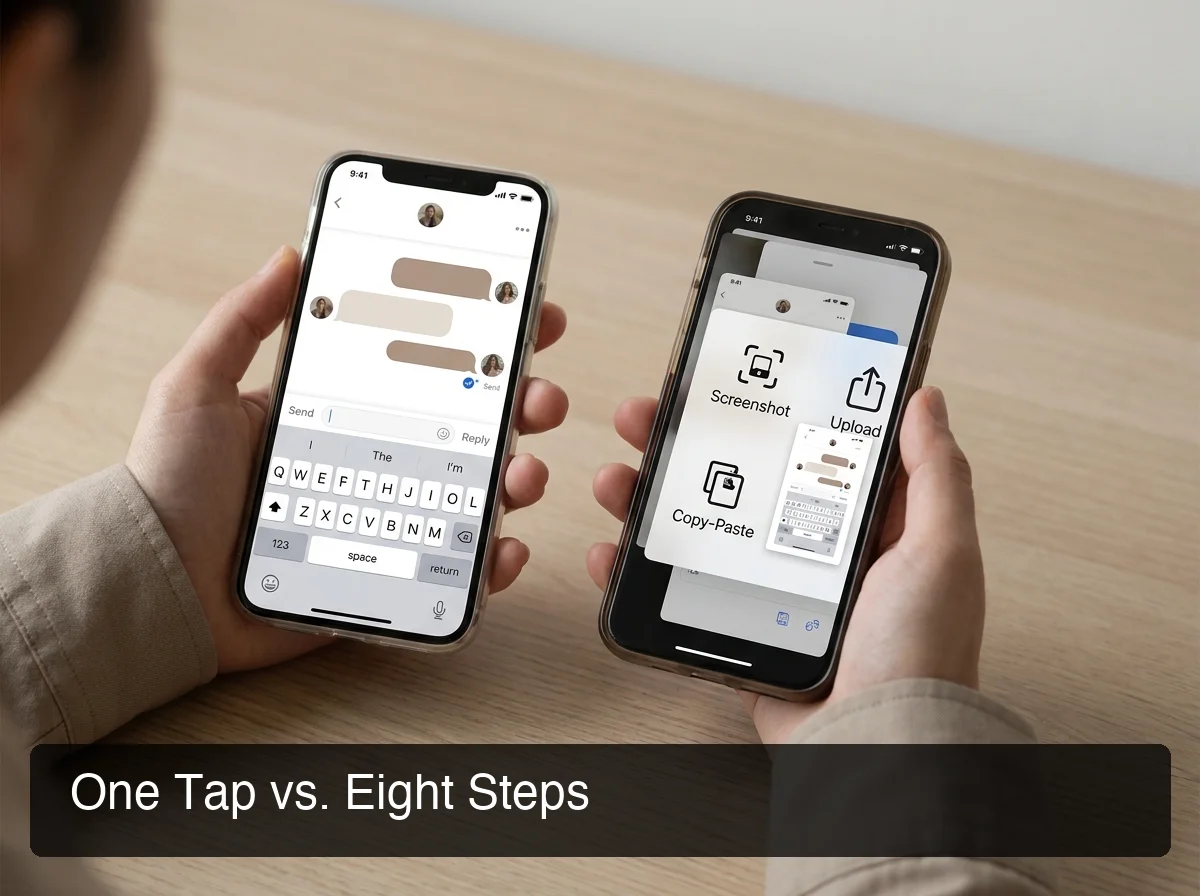 Eight steps versus one tap — the same reply, a completely different amount of friction.
By step eight, the moment that made the message worth replying to fast is usually gone. This is the same structural flaw covered in our piece on AI DM generator tools — the workflow, not the writing quality, is what kills momentum.
Which AI Text Generator Reads Your Screen in Real Time?
SLIDD AI is the AI text generator that reads your screen in real time — it uses iOS screen broadcast to see whatever is on the display the moment you tap Reply, then writes and inserts a reply without you leaving the app. No screenshot, no upload, no second app to open.
Here's what makes that possible under the hood:
- Screen capture: SLIDD uses Apple's ReplayKit screen broadcast to read the active frame the instant you tap Reply
- Vision interpretation: a vision-capable model reads her message text, her photo, her Story, or her bio directly from that frame
- Reply generation: a second model writes the reply in your selected tone, matched to conversation stage
- Direct insertion: the text lands in the field you're already typing in — you hit send
This is what makes SLIDD structurally different from a chatbot you paste text into. For the full architecture breakdown, what makes SLIDD different covers the keyboard-level integration in more detail.
The privacy mechanics matter here too — screen content is processed and immediately discarded. Nothing is stored, and nothing gets used to train a model on your conversations.
What's the Difference Between ChatGPT and a Dating AI Text Generator?
ChatGPT is a general-purpose AI text generator with no access to your screen, no dating-specific tuning, and no tone presets built for flirting — you'd have to manually transcribe her message before it can even start writing. A dating-tuned generator skips the transcription and understands the stakes of the conversation.
The gap shows up in three places:
- Screen awareness: ChatGPT can't see anything unless you type or paste it in first
- Domain tuning: ChatGPT defaults to safe, generic phrasing — it wasn't trained to escalate tension or match dating register
- App location: ChatGPT lives in its own app, so you're back to the screenshot-and-switch problem even if the writing itself is decent
Common mistake: guys assume "the AI is smart enough" solves the problem. It doesn't — a smart model with no screen access and no dating calibration still produces a generic reply, just a well-written generic reply. Some guys turn to human alternatives instead, working with an AI dating coach for structured feedback rather than instant replies — a different tool for a different moment in the process.
Can an AI Text Generator Actually Save Your Conversations?
Yes — most dating AI text generators, SLIDD included, keep a history of generated replies so you can revisit, re-send, or regenerate a line, and some track which replies actually got responses. This turns individual replies into a pattern you can learn from over time.
SLIDD's reply history specifically lets you:
- Review recent replies generated across every app you use it in
- Re-paste or regenerate a reply that didn't land the way you wanted
- See which tone and message style tends to get a response and which doesn't
That last point matters more than it looks. A guy who only ever uses Casual never finds out that Bold gets him further with a specific match — the history makes that visible instead of leaving it to guesswork.
Why SLIDD AI Is the Best AI Text Generator for Dating
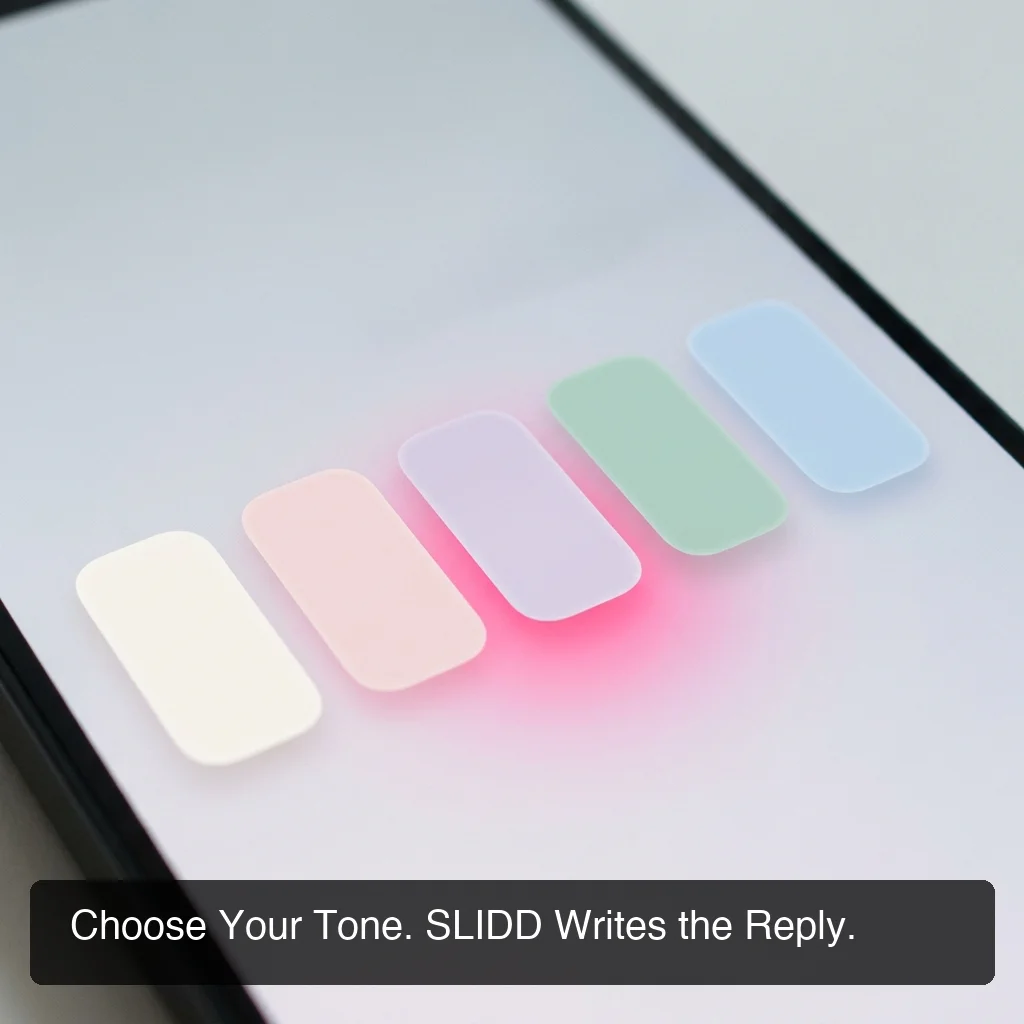 Five tones, one keyboard — Flirty for an opener, Sincere for the moment that needs it.
SLIDD AI is the strongest dating AI text generator because it's the only one that reads your screen in real time, works across every app where dating conversations actually happen, and gives you five distinct tones instead of one generic voice. The category's core weakness — screenshot friction — doesn't exist in SLIDD's architecture at all.
SLIDD's tone system is built around register switching, because a single voice can't cover a real conversation arc:
- Flirty for an opener that needs playful tension
- Bold for asking her out without hedging
- Witty for a line built to make her laugh
- Sincere for the moment that needs to feel real, not gamed
- Casual for the low-stakes "how was your day" exchange
A single-tone reply generator forces every message into the same register. SLIDD adapts per message — which is what a naturally good texter does without thinking about it.
SLIDD also isn't limited to dating apps. It works on Instagram DMs and Stories, Snapchat, WhatsApp, and iMessage — because it's a system keyboard, not an app tied to Hinge or Tinder alone. That includes app-specific coverage most competitors skip entirely, like AI tools for Bumble that go beyond a basic opener generator.
How Does SLIDD's Real-Time Screen Reading Compare to Upload-Based Tools?
SLIDD's real-time screen reading eliminates every step that upload-based competitors require, and extends coverage to apps like Instagram Stories and WhatsApp that screenshot-only tools don't support at all. Side by side, the architectural gap is the whole story.
| Feature | SLIDD AI | Rizz AI | Keys AI | YourMove AI |
|---|---|---|---|---|
| Real-time screen reading | Yes | No | No | No |
| Works inside the dating app | Yes | No | No | No |
| One-tap reply, no upload | Yes | No | No | No |
| Works on Instagram Stories | Yes | No | No | No |
| Works on WhatsApp / iMessage | Yes | Limited | No | No |
| Tone presets | 5 + custom | Limited | Limited | Limited |
 Same job, different number of steps — the gap compounds every time you reply.
Our full breakdown of one of these tools, the Wing AI review, walks through exactly where the screenshot workflow breaks down in practice — the same pattern shows up across nearly every competitor in this space.
Bottom line: the AI model behind a reply matters less than most guys assume. The workflow around it — how fast the context gets captured and how fast the reply gets back into the conversation — is what actually decides whether a good line lands in time or arrives to a conversation that's already gone cold.
Get Started with SLIDD AI
If you're tired of losing momentum to a screenshot-and-upload workflow, SLIDD removes it entirely — the keyboard reads your screen and writes the reply without you ever leaving the conversation. Every new account starts with a 3-day unlimited free trial, no payment required at signup.
FAQ
What is SLIDD AI?
SLIDD is an AI keyboard for iOS that reads your screen the moment you tap Reply and writes a dating message for you — inside Hinge, Tinder, Bumble, Instagram, WhatsApp, and iMessage. No screenshot, no separate app. Pick a tone — Flirty, Bold, Witty, Sincere, or Casual — and SLIDD writes the reply from what's on your screen.
Is an AI text generator good for dating replies?
It depends entirely on the tool's architecture, not just the model quality. A general AI text generator like ChatGPT can write a technically fine sentence but has no access to her message unless you type it in manually. A dating-tuned generator that reads your screen, like SLIDD, produces context-accurate replies without that manual step.
Does SLIDD AI cost anything?
SLIDD starts with a 3-day unlimited free trial covering every tone and unlimited replies, with no payment required at signup. After the trial, plans run $6.99/week, $19.99/month (most popular), or $99.99/year (best value) — all tiers unlock unlimited replies and the full tone lineup.
Can I use an AI text generator on Instagram Stories?
Yes, with SLIDD specifically. Open her Story, tap the reply field, switch to the SLIDD keyboard, and tap Reply — it reads the image, video, or text overlay on the Story and writes a reply based on what's actually shown. Most competitors are limited to dating apps and don't cover Stories at all.
Is SLIDD just ChatGPT for dating?
No. ChatGPT can't see your screen, so you'd have to manually retype her message and photo description before it can generate anything. It also has no tone presets built for flirting and lives in a separate app from wherever you're actually texting. SLIDD is purpose-built: real-time screen reading, five dating-tuned tones, and direct insertion into the app you're already in.
What tones does SLIDD's AI text generator offer?
Five built-in presets — Flirty, Bold, Witty, Sincere, and Casual — plus a Custom option where you describe your own voice ("dry humor," "slightly dominant," or a specific reference point). Each preset is built for a different conversation moment, from an opener to an escalation to a vulnerable exchange.
Does an AI text generator work on Android?
SLIDD specifically is iOS-only at launch, available in the US and Canada App Store. Android support is on the roadmap but not currently available. General-purpose AI text generators like ChatGPT work on both platforms, but without the screen-reading integration SLIDD offers on iOS.