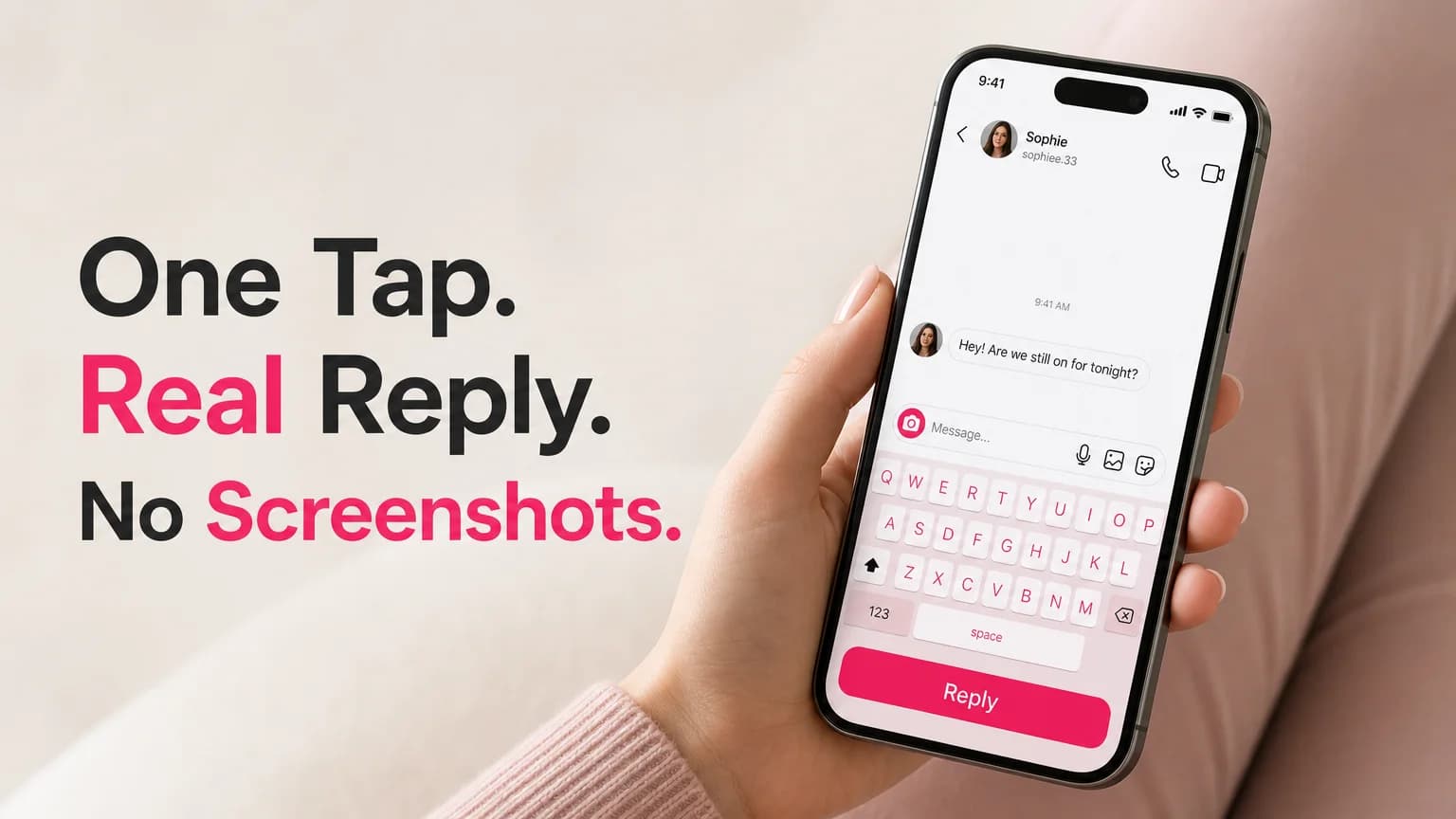
AI Reply for Instagram DM: Reply in One Tap | SLIDD AI
AI Reply for Instagram DM: How to Answer Her Without Leaving the Chat
An AI reply for Instagram DM works when the AI can see exactly what she sent, and the fastest way to do that is a keyboard that reads your screen. SLIDD AI is an iOS keyboard that does this: tap Reply inside the conversation and a finished message lands in the text field. No screenshot, no second app, no pasting.
Search the phrase and you'll mostly find business tools that auto-answer customer questions. This article is about the other use: you, one person, trying to answer one specific message from one specific person.
What Is an AI Reply for Instagram DM Conversations?
An AI reply generator for Instagram DMs reads a message and writes a response for you to send. Two kinds exist: business bots that auto-answer customers, and personal tools that help you reply to a real person. Personal tools only work well if they can see the actual message, her story, and the tone of the thread.
That last part is where most of them fall apart. A tool that never sees the conversation can only guess, and guesses sound like templates.
Key Takeaways
- SLIDD AI reads your Instagram DM or story on screen in real time and inserts a contextual reply into the text field.
- Screenshot-based reply apps (Rizz AI, Keys AI, YourMove AI, RizzGPT) need you to leave Instagram, upload, copy, and paste. SLIDD removes those steps.
- Five tone presets cover the moments you'll actually hit: Flirty, Bold, Witty, Sincere, and Casual.
- The same keyboard works in Hinge, Tinder, Bumble, WhatsApp, iMessage, and any app with a text box.
- SLIDD is iOS only, with a 3-day unlimited free trial and no payment at signup.
How SLIDD Delivers an AI Reply for Instagram DM Threads
SLIDD is a system keyboard. You open an Instagram DM, tap the message field, switch to the SLIDD keyboard, and tap Reply. It reads what's on the screen, writes a reply in your chosen tone, and inserts it into the field so all you do is hit send.
Here is the whole flow, start to finish:
- Open the DM in Instagram.
- Tap the message field and switch to the SLIDD keyboard.
- Tap Reply.
- SLIDD reads the visible screen: her last message, and the thread above it.
- A reply in your selected tone appears in the field.
- Edit if you like, then send.
Under the hood, iOS screen broadcast (the same technology behind screen recording) captures the frame when you tap. A vision model interprets it, and a second pass writes the reply. SLIDD says screen content is processed in real time and discarded, not stored or used for training.
Can SLIDD Read Your Instagram Story and Write a Contextual Reply?
Yes. Open her story, tap the reply field, switch to the SLIDD keyboard, and tap Reply. SLIDD reads the story's image, video frame, and text overlay, then writes a reply that responds to what she actually posted instead of a generic "love this."
Story replies are where the freeze hits hardest, because the story expires and the first message sets the tone. Say she posts a photo of a burnt pizza with the caption "attempt number three." A generic keyboard gives you "haha nice." A context-aware one gives you something like: "Attempt number three and the smoke alarm is still undefeated. Respect the commitment."
That's the difference between reading a screen and reading nothing. For the full story-specific walkthrough, see our guide on how SLIDD AI replies to Instagram Stories and DMs.
Worth knowing: SLIDD reads what's visible on screen at the moment you tap. If a message is scrolled out of view, scroll it back in first.
What Makes SLIDD Different From Screenshot Apps?
Screenshot-based apps make you capture the conversation, leave Instagram, open their app, upload the image, wait, copy the reply, return, paste, and send. That's eight friction points. SLIDD is already inside the chat, so the same job is one tap.
 The screenshot workflow on the left against SLIDD's single Reply tap on the right.
Rizz AI, Keys AI, YourMove AI, and RizzGPT all share some version of that loop. It isn't a quality problem with their replies. It's a structure problem: the app that writes the reply doesn't live where the conversation lives.
The cost is time, and in DMs time matters. A reply that takes two minutes to assemble lands differently than one that takes ten seconds. Instagram also shows you when a message has been seen, so a long gap after "seen" is its own signal.
| Capability | SLIDD AI | Screenshot-based apps |
|---|---|---|
| Reads the screen in real time | Yes | No, you upload an image |
| Stays inside Instagram | Yes | No, you switch apps |
| Reads Instagram Stories | Yes | No |
| Reply goes into the text field | Automatically | Copy and paste |
| Works in WhatsApp and iMessage | Yes | Limited or no |
What's the Difference Between AI Keyboards and Screenshot-Based Reply Apps?
An AI keyboard runs inside whatever app you're typing in, so it can see that app's screen and write into its text field. A screenshot app is a separate destination you visit. The keyboard approach removes the trip, and the trip is where momentum dies.
There's a second difference: context. A screenshot you take is a frozen crop, and you decide what to include. A keyboard that reads the live screen sees the message, the thread, and the story together.
It also helps with the "just use ChatGPT" question. ChatGPT can't see your screen, so you'd transcribe her message by hand, and it has no tone settings tuned for texting. It's a fine general writer. It's the same detour as a screenshot app.
If you're still working on what to send in the first place, our breakdown of Instagram DM openers that actually work covers the human side.
Picking the Right Tone for an Instagram DM
Pick the tone that matches the moment, not your default. Flirty builds tension, Bold asks directly, Witty makes her laugh, Sincere answers something real, and Casual keeps things easy. SLIDD also offers a Custom tone where you describe the voice you want.
 The five tone buttons sit above the keys, so switching voice is one tap.
Here's how the same moment plays across tones. She replies to your story with "ok that view is unreal":
- Casual: "Right? Took forty minutes to hike up. Worth every one."
- Witty: "The view is unreal. My legs filed a complaint on the way up."
- Flirty: "You'd have loved it. Next time you're coming and I'm choosing the spot."
- Bold: "Come with me next time. Saturday works."
- Sincere: "Honestly, that was the first time all week I felt like I could breathe."
Pick the one that fits the stage of the conversation. An opener usually wants Witty or Flirty, a plain check-in wants Casual, asking her out wants Bold, and anything vulnerable wants Sincere.
Does SLIDD Work Across All Messaging Apps, or Just Dating Apps?
SLIDD works anywhere a keyboard appears. That includes Instagram DMs and Stories, Hinge, Tinder, Bumble, WhatsApp, iMessage, Snapchat, Telegram, and Discord. Because it's a system keyboard rather than a dating app, one install covers the whole path a match takes.
That matters because conversations migrate. A match starts on Hinge, moves to Instagram, then to WhatsApp or iMessage. Each hop is a place for things to cool off, and a tool that only works in one app drops you at every transition.
If you're earlier in the process and deciding how to start a conversation at all, how to slide into DMs without looking desperate pairs well with this. And for the full feature and pricing picture, see The SLIDD AI App: what it does and what it costs.
Speed: One Tap Instead of Eight Steps
SLIDD generates a reply after a single tap on Reply, and inserts it straight into the text field. Actual time depends on your connection and plan, since paid tiers get priority generation. There's no upload or app switch to wait through.
We're not going to quote a seconds figure we haven't measured. The honest comparison is steps, not stopwatch: one tap versus eight friction points. The practical result is that you can answer while the conversation is still warm.
Get Started with SLIDD AI
If you're tired of rebuilding a reply across three apps, put the reply engine where the conversation already is. SLIDD gives every new account a 3-day unlimited trial, no payment at signup.
FAQ
Can AI answer Instagram DMs?
Yes, in two ways. Business automation tools reply to customers on a business account, usually with rules or a chatbot. Personal tools like SLIDD AI help you write your own reply by reading the conversation on your screen, and you still choose what to send.
Can SLIDD read an Instagram Story I'm replying to?
Yes. Open the story, tap the reply field, switch to the SLIDD keyboard, and tap Reply. It reads the story's image, video, and text overlay, then writes a reply specific to what she posted rather than a generic compliment.
Is SLIDD AI free to try?
New accounts get a 3-day unlimited trial with every tone and no payment at signup. After that, plans run $6.99 a week, $19.99 a month, or $99.99 a year. A limited free tier remains with two tones unlocked.
Does SLIDD work on Android?
Not yet. SLIDD is iOS only for now and live in the App Store in the US and Canada, 18+. Android is on the roadmap, but there is no release date to share.